PATRONUM
PRSW6100
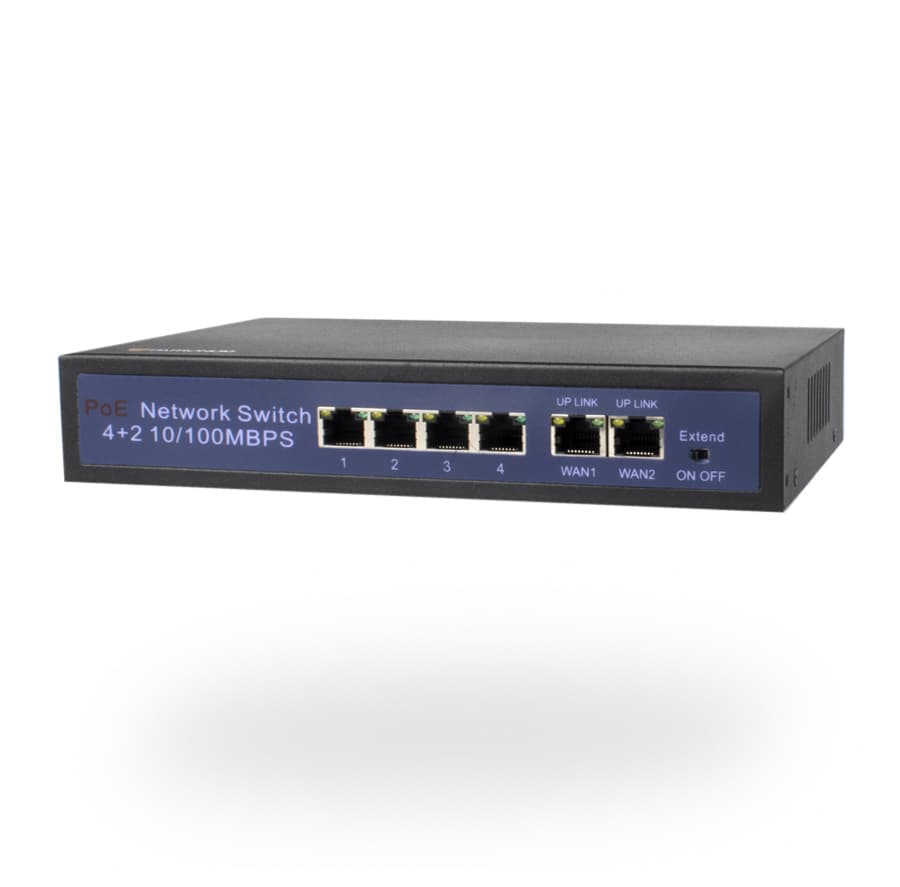
PoE switch. Standard IEEE 802.3af/at — compatible with any PoE camera. Plug-and-play, no configuration. A single UTP cable carries data and power.
Co PRSW6100 skutečně umí.
Powering cameras over the network cable
The PATRONUM PRSW6100 (4 LAN + 2 WAN) is a PoE switch. Connected cameras receive both data and power over a single UTP cable — no need to install a power supply at the camera location.
IEEE 802.3af / 802.3at standards
The switch follows industry standards for Power over Ethernet — works with any compliant camera (PATRONUM, Uniview, etc.). 802.3af delivers 15 W per port; 802.3at (PoE+) delivers up to 30 W per port for demanding PTZ cameras with heated modules.
Plug-and-play, no configuration
Just connect cameras to the PoE ports and the switch to the router. No CLI, no management interface, no VLAN configuration required. Ideal for installations where deeper IT knowledge isn't available.
Síťová páteř pro vaše kamery. Stabilní 24/7.
Kompatibilita PoE+
Funguje s libovolnou kompatibilní kamerou nebo AP. Plug-and-play.
Bez nastavení
Stačí připojit. Žádný management, žádné CLI. Vhodné i pro neIT instalace.
Every parameter, in detail.
Co najdete v krabici.
Na co se zákazníci ptají nejčastěji.
Potřebujete poradit s topologií PoE budgetu? Naši technici jsou k dispozici 8:00–17:00.
Kontaktovat podporuCo říkají zákazníci, kteří si PRSW6100 už koupili.
Zatím žádné recenze. Buďte první po nákupu.
Guides and articles, that may help.
Night vision types — IR, Smart Light, Color24 and Dual Light
What does a camera really see at night? A comparison of technologies — classic IR (black & white), Smart Light (color with floodlight), Color24 (color in minimal light) and Dual Light (combination). When to choose which?
Configuration of IP camera system with PoE switch
Step-by-step guide to configuring an IP camera system with a PoE switch — IP address setup, NVR pairing, and troubleshooting common issues.
AHD camera system installation
Complete AHD camera system installation guide — camera mounting, cable selection, recorder connection, monitor setup and initial configuration. Step by step with practical tips.
Connecting the recorder to a TV or monitor
How to connect an NVR/DVR recorder to a monitor or TV using HDMI or VGA. Includes an important warning about common mistakes.
Camera system installation guide
Step by step from cabling preparation through camera installation to remote online monitoring — the complete PATRONUM installation guide.
Where to place a security camera
We'll advise how to choose the right location for a security camera so the field of view is optimal and installation problem-free.