Backup recording locally (XVR and NVR)
Backup recording remotely - VMS LITE
Backup recording from IP cameras and recorders using a browser
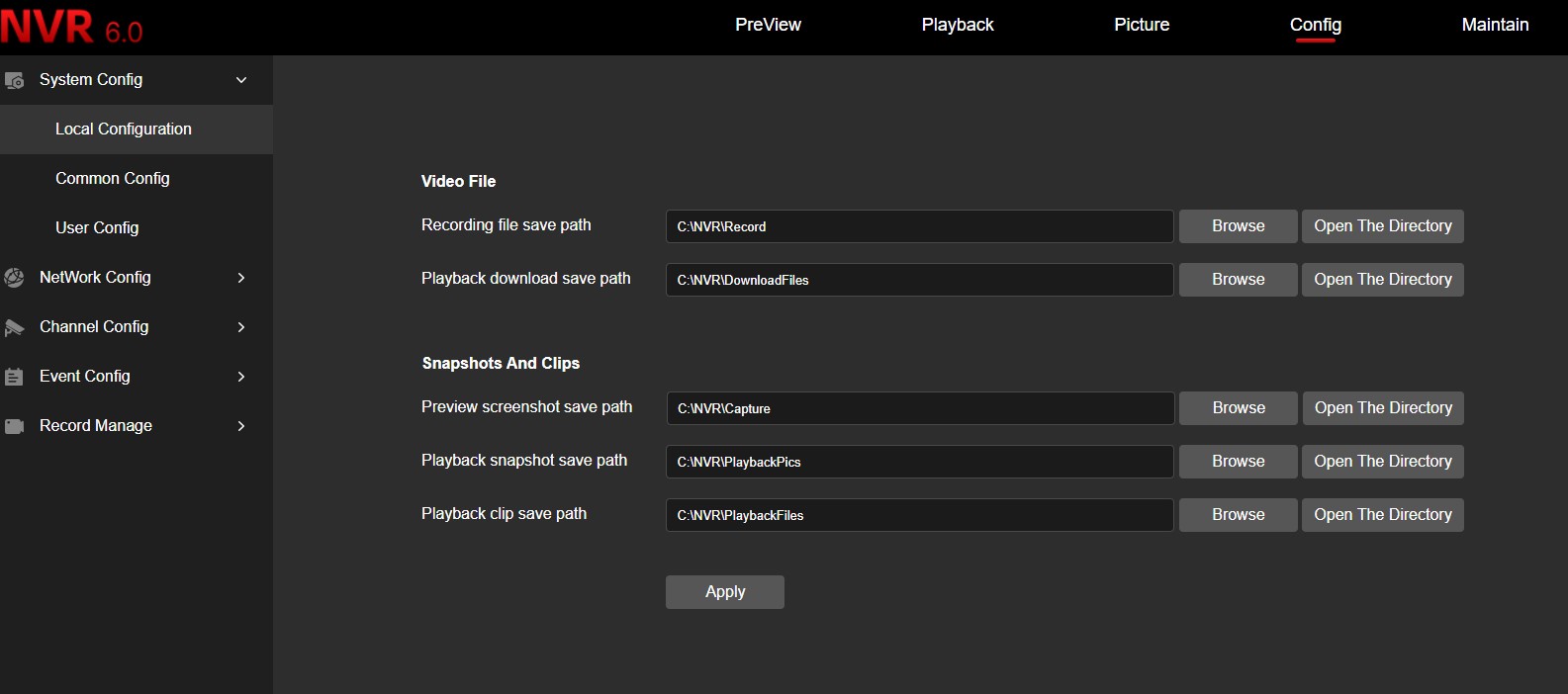
If you use a web browser to back up the recording , you must make a security configuration change. This is because the web browser does not have the ability to write to local storage by default. For a simple and correct way to configure security, please refer to the following instructions:
First, you will need to set the file storage path:
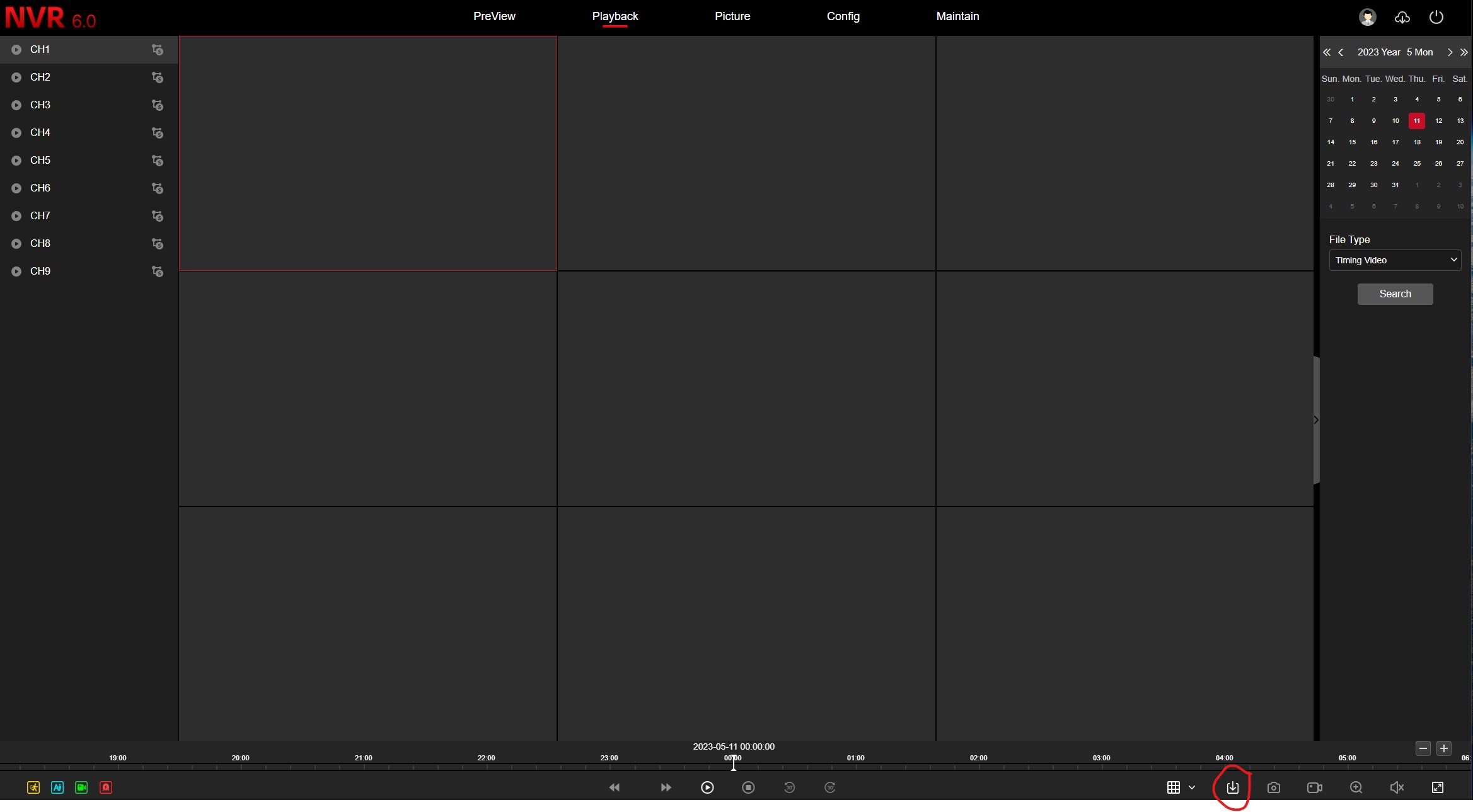
In the playback menu, click on the backup icon:
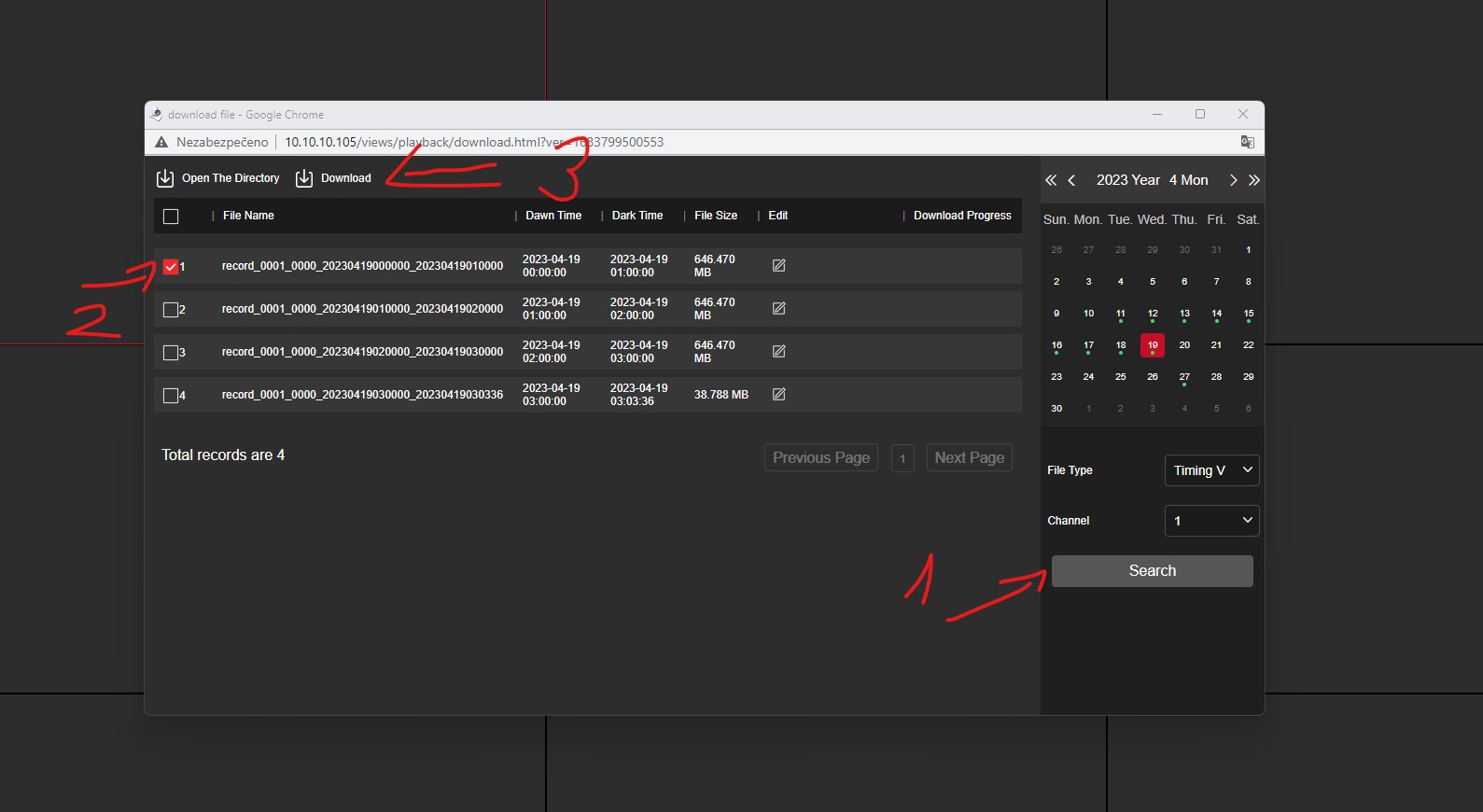
In the newly opened window, select the date and search for the recordings, check the box next to the recording you want to download and click on download.